
API Paper Trading
The Bitfinex platform offers Paper Trading. The feature is available on sub-accounts specifically marked for Paper Trading and can help you test all of our API features as well as trading strategies in a simulated market environment without the need to deposit real funds. Paper Trading is supported for exchange, margin, and derivatives trading and can also be used to simulate taking and providing funding.
Requirements
To get started with Paper Trading, you will need to create a new sub-account that is setup for paper trading, Paper Trading balances, and API keys for your Paper Trading sub-account.
Creating a new sub-account
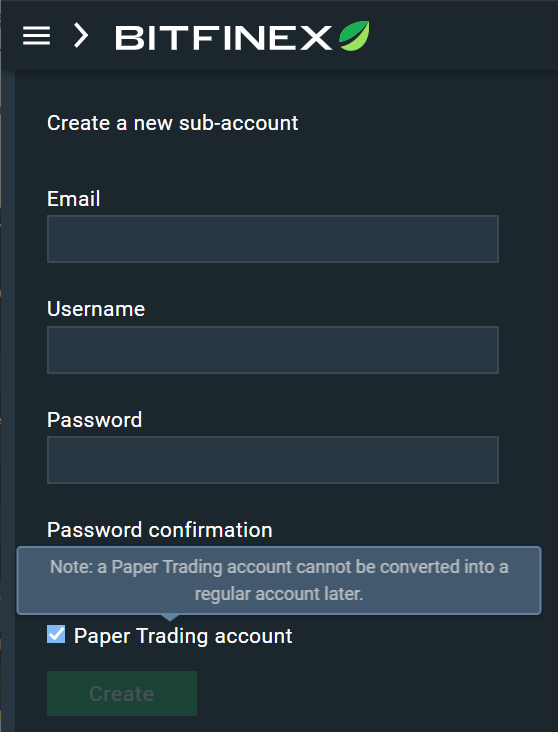
To do this, navigate to the sub-account section after signing in to your Bitfinex account. Here you can create a new sub-account. During this process, make sure to mark the "Paper Trading account" checkbox at the bottom of the form.
Topping up your paper trading account
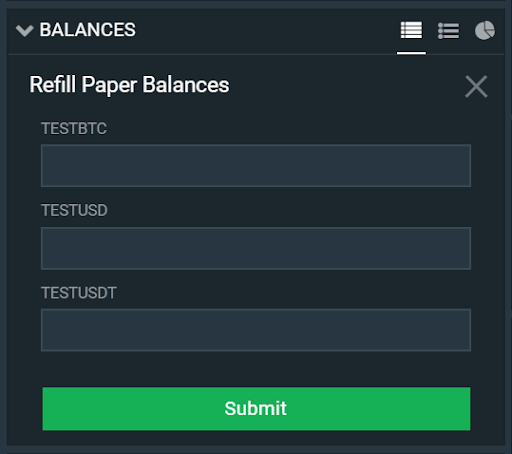
On the Paper Trading account, navigate to the trading page. In the balance widget, you will see an option to "Refill Paper Balances". Clicking this will redirect you to the refill form, as seen on the image below. You can refill your paper balances up to a maximum of $1,000,000 USD equivalent in total and up to $100,000 per paper currency.
Generating API keys
To test the API with Paper Trading, you will need to generate an API key pair. To do this, make sure that you are logged in or context-switched to your Paper Trading sub account. Go to bitfinex.com/api to create your key pair. You can change the permissions for your API key pair depending on the kind of actions that you wish to perform using the keys.
Updated over 1 year ago